
Checked October 26, 2026
Survival Guide: Crash Out, Emergencies and Teamwork
Manage your attention during the night shift: watch Crash Out, identify emergency objectives and avoid mixing up passenger evidence in co-op.
Choose the symptom
Examples come from reviewed recorded gameplay and the official game description. Updates can change interfaces and balance.
My Crash Out meter is rising
- Check first
- Check the employee gauge at the lower left, rather than the interrogation subject gauge.
- What to do
- Read available supply descriptions and manage the immediate threat before resuming routine work.
- Success check
- The employee gauge and next task are clear.
Based on the official premise and reviewed recorded interfaces.
Read the supporting evidence →An emergency interrupted the checkpoint
- Check first
- Read the active event name, location and countdown.
- What to do
- Go to the named location and follow that event instruction.
- Success check
- The current objective is identified; its complete solution may still need in-game guidance.
Based on the official premise and reviewed recorded interfaces.
Read the supporting evidence →Teammates are making conflicting decisions
- Check first
- Identify which passenger, bag or scanner each person is handling.
- What to do
- Assign one person to a station and call out the exact evidence.
- Success check
- Each decision is associated with the correct passenger.
Based on the official premise and reviewed recorded interfaces.
Read the supporting evidence →Quick answer
Watch your employee Crash Out meter, read the active emergency panel and match your tool to the actual objective. The developer warns that fear replaces a normal health-bar routine.
Continue: Check In§Watch the employee Crash Out meter#
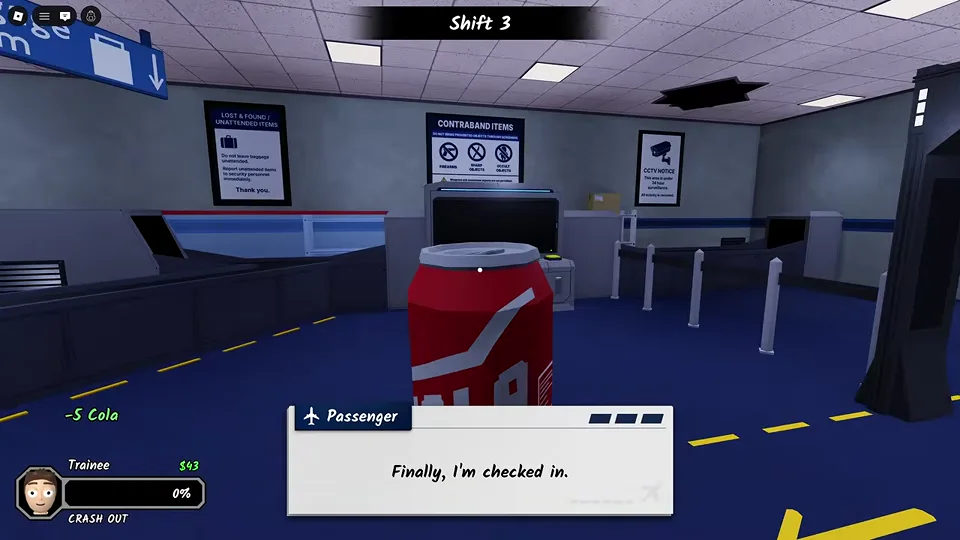
The lower-left HUD in the recording labels the employee gauge CRASH OUT. The official description says there is no health bar and that getting too scared can end your run. Treat this meter as a continuing survival concern while you inspect passengers.
The recording shows a Cola being used with a -5 Cola notification and a low employee meter. That supports a reduction in that recorded situation. It does not establish a permanent balance value, universal shop price or a rule for every consumable. Read current item descriptions before spending your money.
§Read the emergency name, place and timer#
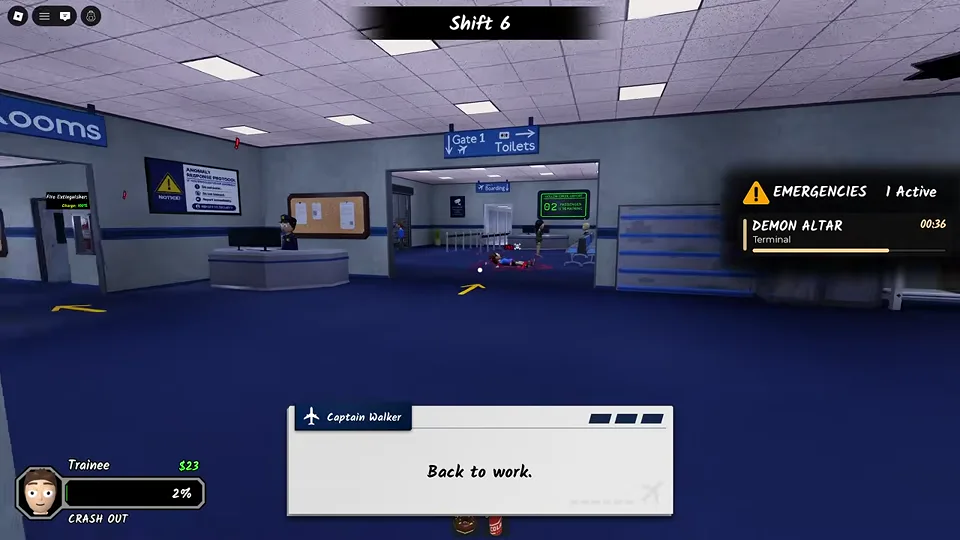
The recorded emergency panel displays DEMON ALTAR, the location Terminal and a countdown. That is enough to identify the type and location of that active task. It does not show a complete solution to every altar event.
The developer also mentions burning emergency landings, ghosts and lockdowns. Listen for announcements and check the named objective before leaving your station. If several events are active, use the panel to avoid searching an unrelated room while a timer runs.
§Locate supplies before you need them#
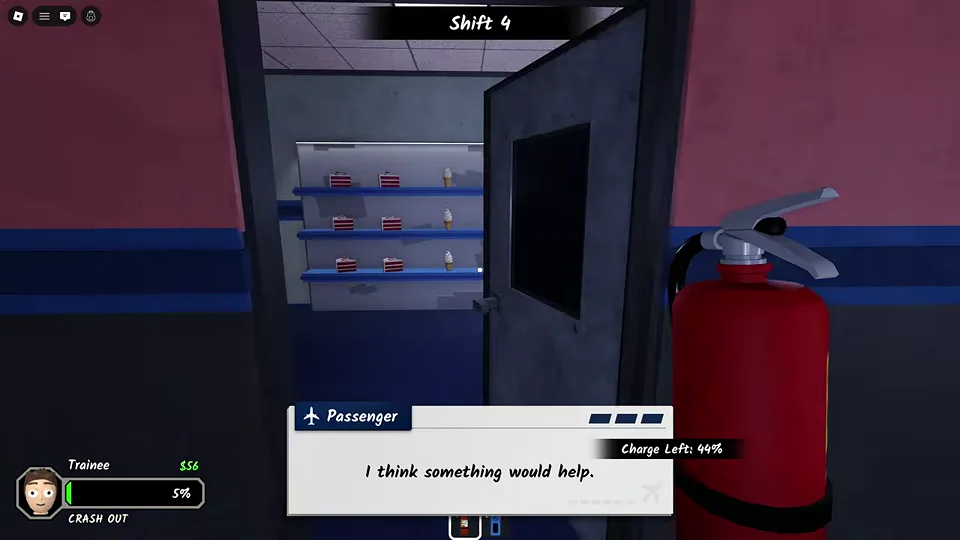
The recording shows a refresh shop in the corridor, a Staff room entrance and a fire extinguisher with a charge display. Learn where these are while the checkpoint is calm. A familiar route can save navigation time during an emergency.
A visible extinguisher confirms that the tool exists in the recorded build. It does not prove that spraying it resolves every supernatural event. Follow the active task instructions and watch whether the tool charge or objective state changes.
§Divide attention in co-op#
The official description supports solo play or up to four friends. A practical team arrangement is one employee at check-in, another at the scanners and another watching announcements or handling an active interruption. This is a coordination suggestion, with no asserted class bonus.
Call out the passenger and the exact problem: a bag item, a missing limb or a test result. Avoid an unspecific warning such as suspicious when teammates are processing different people. The developer also permits tasers to affect coworkers, so careless tool use can disrupt the checkpoint.
§Endless shifts and recurring passengers#
The official description calls the shifts endless and mentions a serial killer who remembers how you treated him. The recording also includes a named recurring passenger. These details warn against assuming every visitor is an interchangeable one-time check.
There is no verified guaranteed shift-by-shift encounter schedule in this guide. A Shift 3 or Shift 6 screenshot records when that event appeared in one run. It should not be used to promise the same event order, reward or ending in your session.
Scope and details
2 sections§Burning passenger: identify Check-in and use the extinguisher#
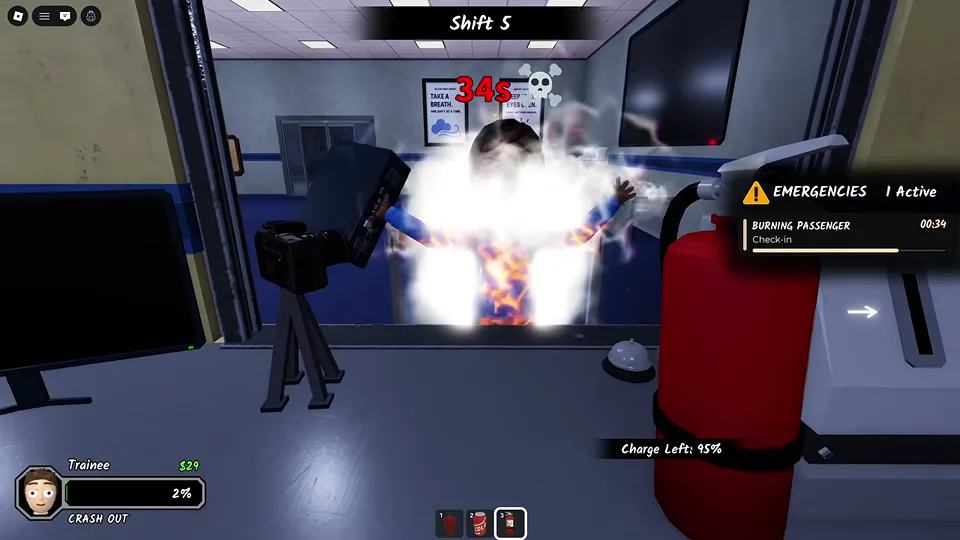
In the recorded event, the emergency panel names BURNING PASSENGER and the location Check-in. The player aims an extinguisher at the burning passenger and sprays while its charge display is visible.
Use the event location to find the passenger, equip the extinguisher and aim at the visible fire. Watch the charge and the objective state. This frame documents the response in progress; it does not confirm a fixed amount of charge or the final completion condition.
§Find the surveillance terminal#
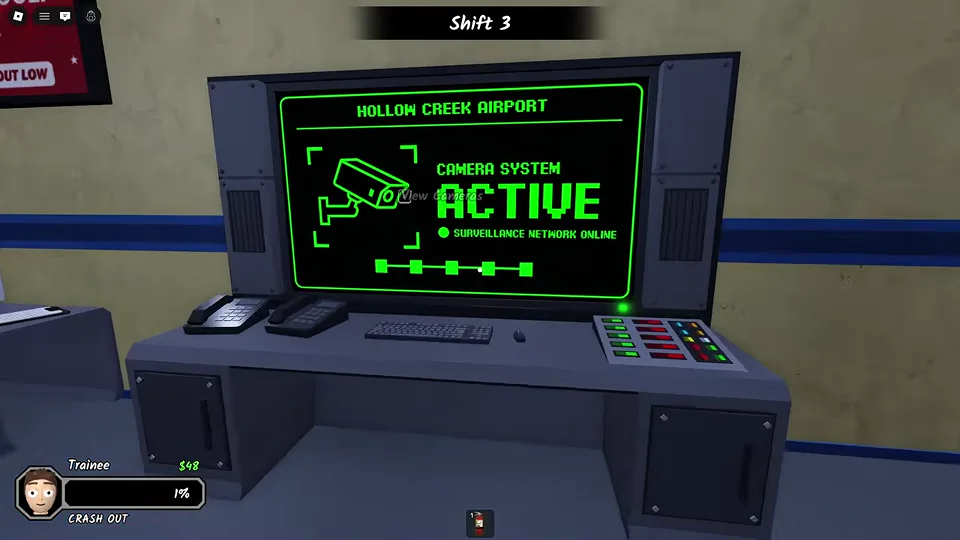
The recording shows a Hollow Creek Airport surveillance terminal with a View Cameras interaction prompt. Locate this terminal during a calm moment so you can return to it when you need camera access.
Use the current interaction prompt to open the system. The terminal image confirms its location and entry interaction; individual camera controls and every camera-based event solution remain unverified.
Scope and sources
Examples come from reviewed recorded gameplay and the official game description. Updates can change interfaces and balance.
- Gameplay images are from an October 8 recording. Later updates may change layouts, prompts and events. Follow the instructions displayed in your session.